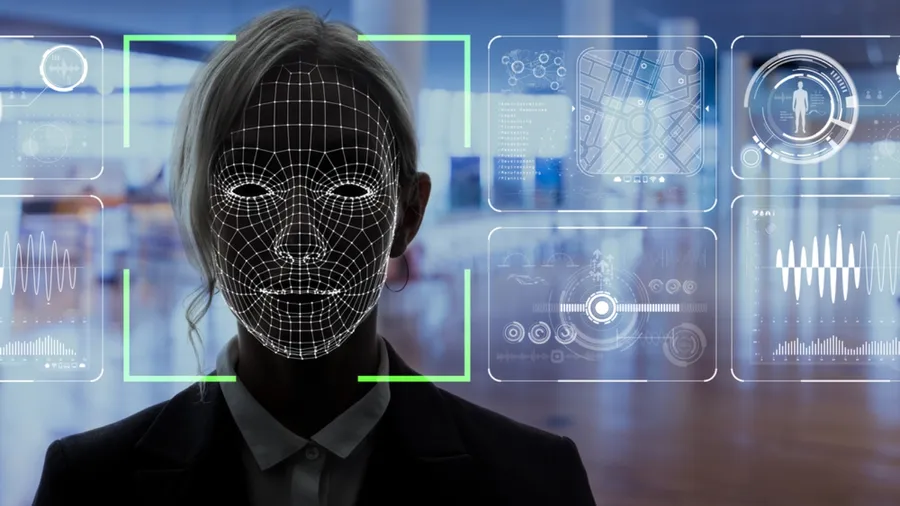
🧠 Project Overview
Goal: a self-contained, single-file Python script that turns any default laptop or USB webcam into a live face detector — useful as a stepping stone for attendance systems, presence demos, computer- vision onboarding material, and any other place where “is there a face in this frame right now?” is the only thing that needs to be answered.
It deliberately stays small: no deep-learning framework, no dataset download, no GPU. The whole thing runs on top of the OpenCV Haar cascade classifier that ships with the library, so the script is clone-and-run on any machine that has Python 3 and a working camera.
Current features:
- Opens the default camera with
cv2.VideoCapture(0)and reads frames in a tightwhile Trueloop. - Converts each BGR frame to grayscale before inference — Haar cascades only operate on single-channel intensity images, and skipping this conversion is the single most common source of false negatives for first-time users.
- Runs
detectMultiScale(...)with conservativescaleFactorandminNeighborsvalues so the detector prefers fewer high- confidence boxes over many noisy ones. - Draws one rectangle per detected face directly on the BGR frame so the user sees the source color stream, not the grayscale working copy.
- Releases the camera cleanly on
q/ESCso the OS does not keep the device locked after the window is closed.
🏗️ Architecture: Frame-Loop Pipeline
The whole script is a single sequential pipeline: capture → preprocess → detect → annotate → display → repeat. There is no state between iterations beyond the cascade classifier itself, which keeps the program easy to reason about and easy to wrap in a unit test that swaps the camera for a recorded video file.
graph LR
  CAM[Camera<br/>VideoCapture 0] --> READ[Read frame]
  READ --> GRAY[Convert BGR to grayscale]
  GRAY --> DET[detectMultiScale<br/>Haar cascade]
  DET --> BOX{Any faces?}
  BOX -->|Yes| DRAW[Draw rectangles<br/>on BGR frame]
  BOX -->|No| SHOW
  DRAW --> SHOW[imshow frame]
  SHOW --> KEY{Key q / ESC?}
  KEY -->|No| READ
  KEY -->|Yes| REL[release + destroyAllWindows]
This shape lets us:
- Treat the camera as a swappable input by replacing
VideoCapture(0)with aVideoCapture("input.mp4")for offline testing without changing any downstream code. - Re-use the grayscale conversion as a natural seam for any future histogram equalization or CLAHE normalization step.
- Stop the loop with a single breaking condition so there is no risk of leaving the camera device locked when the user closes the window.
🧰 Technologies Used
🐍 Runtime / libraries
- Python 3 as the scripting language — chosen so the script can be edited live and re-run without a compile step.
- OpenCV (
cv2) as the single dependency for camera I/O, color conversion, cascade loading, detection, drawing and the display window. - Haar Cascade Classifier (the pre-trained
haarcascade_frontalface_default.xmlshipped with OpenCV) as the detector. CPU-friendly, deterministic, and good enough for frontal faces in well-lit indoor scenes. - NumPy (transitively, via OpenCV) for the per-frame buffer that backs both the BGR and the grayscale views.
🛠️ Tooling
- pip for dependency installation (
pip install opencv-python). - Any standard editor — the script is a single Python file with no project scaffolding.
🔐 Key Technical Decisions
✅ 1. Haar cascades instead of a DNN detector
DNN face detectors (YuNet, RetinaFace, MediaPipe) are more accurate, but every one of them pulls a model file plus a runtime like ONNX, Mediapipe or a TF Lite interpreter. For a script whose value proposition is “clone, install, run”, Haar cascades lower the bar enough that a reader without any ML background can mentally map the code line by line.
✅ 2. Default camera as the input source
cv2.VideoCapture(0) works on any laptop and on any USB
webcam that registers as /dev/video0. There is no CLI flag to
configure, no path to a device to guess. The first run “just
works” on the most common hardware.
✅ 3. Single-file deliverable
No requirements.txt, no package layout, no entry-point. The
repository is the file. The trade-off is that scaling beyond a
demo (logging, multiple cameras, headless mode) would require
restructuring — but that is not what the script is for.
📈 Current Outcome
✔️ Self-contained script that runs on a fresh Python install with
one pip install.
✔️ Real-time face detection at interactive frame rates on a CPU laptop, no GPU required.
✔️ Clean exit path so the camera device is always released on
quit — no LED stays on after Ctrl+C surprises.
✔️ Ready as a learning base: swap the cascade for a DNN, swap the camera for a video file, or wrap the loop in a Flask endpoint — the framing of the pipeline makes any of these a localized edit.
📎 Conclusion
Real-time face detection is a “hello world” with a webcam: small enough to fit in one file, big enough to surface every concept a later CV project will reuse — device capture, preprocessing, inference, annotation and clean shutdown. Keeping the surface this small is what makes the script a useful teaching artifact: a reader can hold the whole program in their head and then substitute pieces one at a time.
Want to read the source or fork it as a starting point for your own detector?
🧠 Working on a similar CV pipeline?
If you are scaling this up to multi-camera capture, headless deployment or a DNN detector and want to talk through the trade-offs, feel free to reach out 🚀